On this page
What it verifies
A DNS hygiene monitor reads 3 records of a domain from each of its regions at every interval. SPF and DMARC decide whether the domain’s mail is delivered, and CAA decides who may issue certificates for it. SPF present, DMARC with p=quarantine or p=reject, and a CAA record give ok, and anything less gives degraded. The grade never goes below degraded, so a weakened mail or certificate posture reaches the board without paging anyone.
Use it when
- A domain sends mail such as invoices, password resets, or notifications, and its SPF and DMARC records must survive every DNS change.
- A DMARC policy of
noneor a missing CAA record should appear as a finding with a timestamp, without opening an incident. - The domain has no HTTP endpoint of yours where an HTTP(S) monitor could carry the DNS hygiene sub-check.
It does not judge whether the domain resolves or whether the mail server accepts connections. A record that must carry a specific value needs the DNS record check, and the mail path needs the SMTP and IMAP checks. NS, SOA, DNSSEC, and registration expiry belong to the domain check.
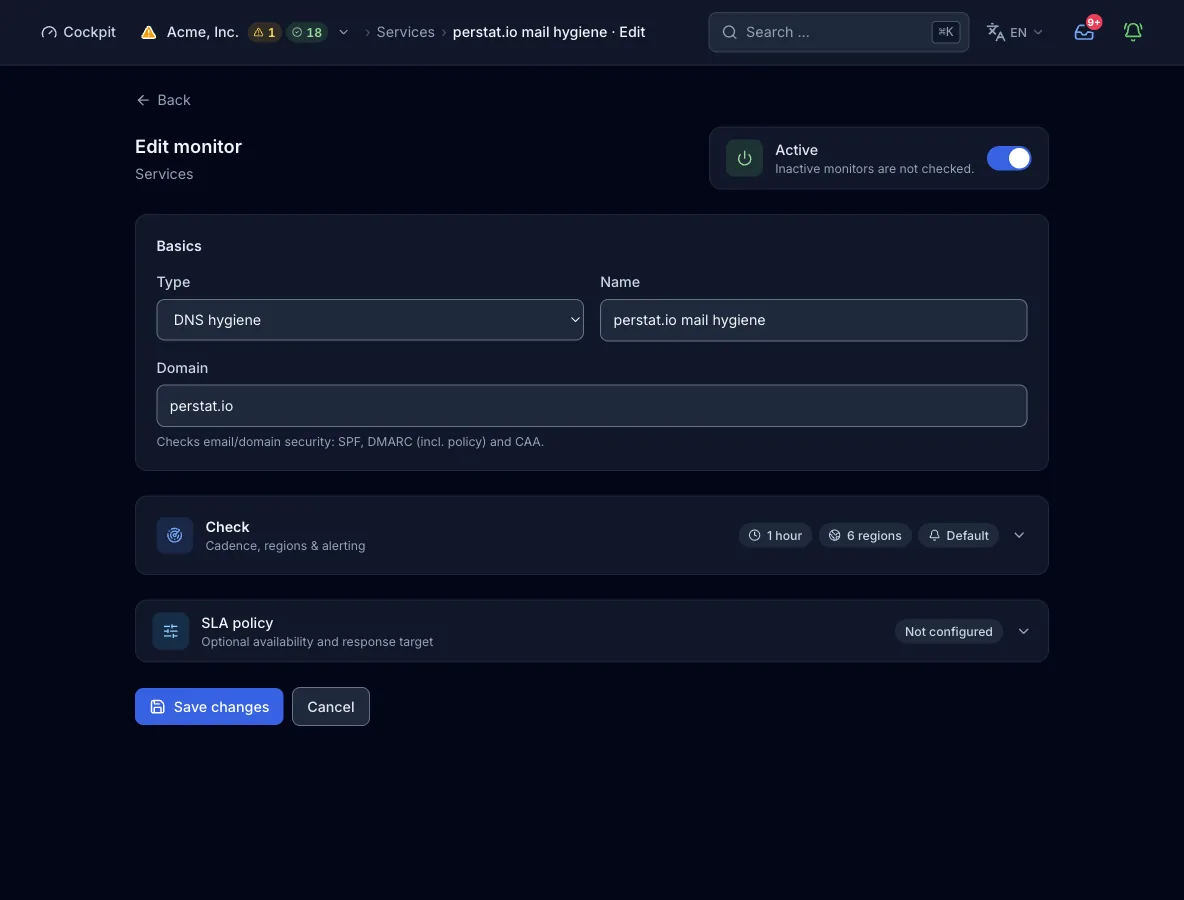
Configuration
Domain. The domain whose records are read, for example example.com. A trailing dot is removed. The 3 lookups go to the apex and to _dmarc. below it, through the node’s own resolver, from every selected region.
| Field | Required | Values and default | Meaning |
|---|---|---|---|
domainDomain | yes | Domain name, for example example.com | The domain whose SPF, DMARC, and CAA records are read. |
interval_secondsCheck interval | optional | Default 300 s. Range: plan minimum to 24 h | How often each region runs the check. A value outside the range is raised to the plan minimum or capped at 24 h, not rejected. |
regionsRegions | optional | Subset of na, eu, as, sa, af, oce. Default: the plan’s regions | Which continents run the check. Omit it and the plan picks its default set. |
How a check runs
- Each region due for the interval asks the node’s own resolver for the TXT records at the domain’s apex and looks for one containing
v=spf1. - It reads the TXT records under
_dmarc.<domain>, looks for one containingv=dmarc1, and extracts thep=policy from it. - It asks for CAA records at the apex. Only their presence counts, not their content.
- A missing SPF or DMARC record gives degraded, and the detail names what is missing. Otherwise a DMARC policy other than
quarantineorreject, or no CAA record, gives degraded, and the detail names what is weak. Everything in place gives ok. - The region’s result goes to the control plane. A degraded result stays out of the incident evaluation. Only an error counts as an outage there, once the quorum agrees.
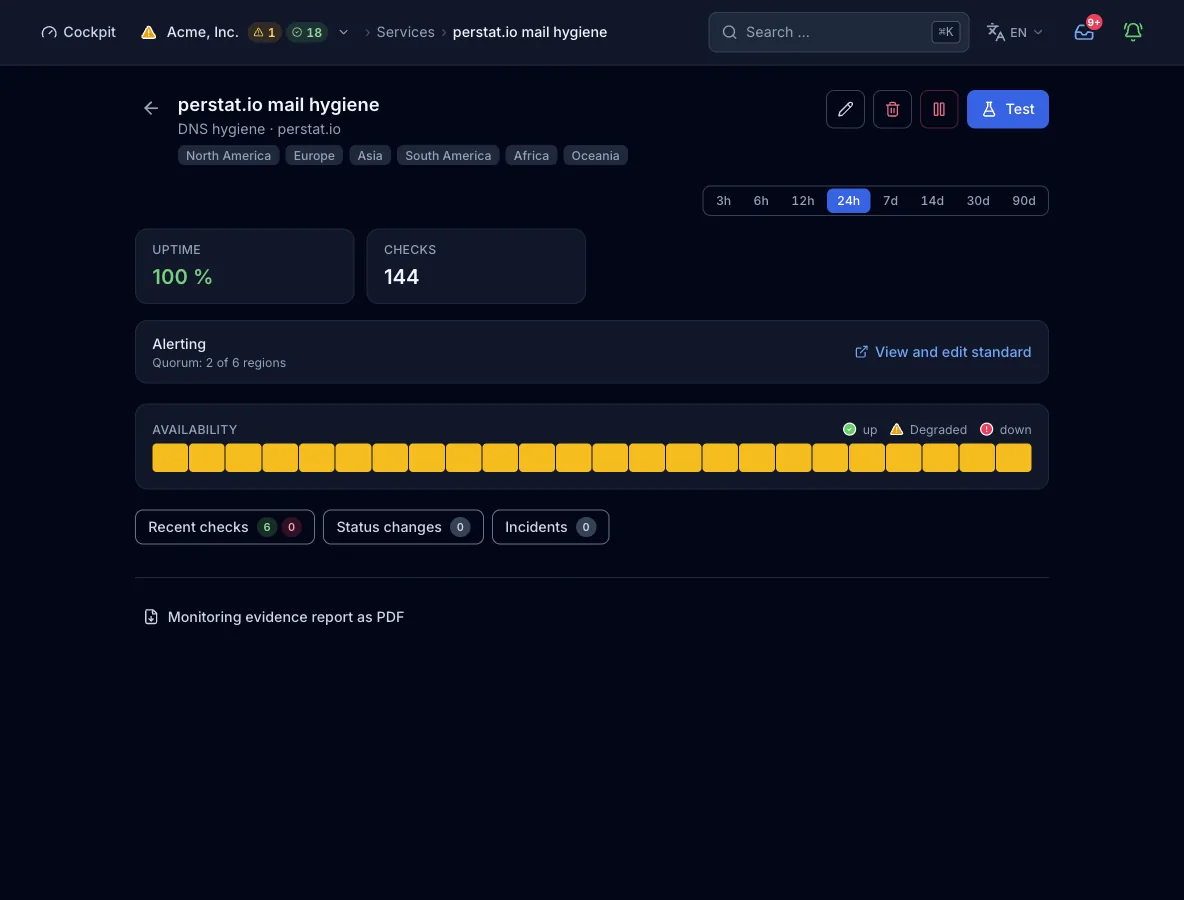
What a result contains
- Detail line
- One line names the missing records (SPF, DMARC) or the weak ones, such as
DMARC p=noneor no CAA. With everything in place it readsSPF · DMARC p=reject · CAA, with the policy the record carries. - Response time
- The time for all 3 lookups together, per region. This type reports no response code and no cause layer.
- Region
- Every result carries the region that measured it. There are no per-family or per-address sub-results.
States and severity
- okSPF is present, DMARC carries
p=quarantineorp=reject, and a CAA record exists. - degradedSPF or DMARC is missing, DMARC carries a policy other than
quarantineorreject, or no CAA record exists. A lookup that fails or returns nothing counts as missing, not as an error. - errorThe check cannot run: the configuration cannot be read, the domain is empty, or the node’s resolver fails to initialize. It counts as an outage with severity critical.
Confirmed by quorum: by default, 2 regions must report the failure before an incident opens. The posture grade is ok or degraded, never down. Only an error, when the check cannot run, counts as an outage. The organization default asks for 2 regions and 2 consecutive checks, and a monitor can carry its own rule (count or percent, consecutive checks, and minimum duration).
Plans and limits
- Shortest interval
- Free allows 300 s, Pulse 60 s, and Sentinel 30 s. Command allows 15 s and Enterprise 10 s, both only through MCP. The web form offers 30 s, 1 min, 5 min, 15 min, and 1 h.
- Regions
- Free runs 2 of 6 regions and Pulse 3 of 6. All 6 are available from Sentinel.
- Monitors
- Free includes 10 probe monitors, Pulse 50, Sentinel 150, and Command 500. Enterprise quotas are custom. The count covers the 11 probe check types, and host agents and heartbeats have their own quotas.
From the pipeline or an agent
The same config works in the deploy step, in an MCP client such as Claude Code, and in the form above. create_monitor needs an organization-wide API key. If you omit regions, the plan picks its default.
{
  "name": "example.com mail hygiene",
  "type": "dns_hygiene",
  "interval_seconds": 3600,
  "config": {
    "domain": "example.com"
  }
}
Every interface, with its boundary
Limits
- There is no SPF syntax check. A TXT record at the apex only has to contain
v=spf1. - There is no DKIM check and no MX check, and the content of a CAA record is not read.
- A lookup that fails counts as a missing record, not as a measurement error.
- There are no IP families and no per-address sub-results. The lookups run over the node’s own resolver, and the node stops a run after 120 s.
- A missing or weak record never grades below degraded. A record that must hold a specific value needs the DNS record check.
- From the build of 13 September 2026 on, the validator reads
domainwhen a monitor is created or updated over the API. Between 11 August 2026 and that build it readnameand rejected a request without it (name must not be empty), while the engine kept readingdomainand existing monitors ran on. Until that build is deployed, sendnamewith the same value next todomain.