On this page
What it verifies
At every interval, each region of a ping monitor sends ICMP echo requests to every resolved address of the host. By default, that is 3 packets of 32 bytes, one after the other, each waiting up to 10 s for its reply. The monitor records how many replies came back, the loss in percent, and the average round trip. Every reply is a pass, partial loss is degraded, and silence is down, so a host that is gone reads differently from a link that drops packets.
Use it when
- A host has no service worth probing but must be reachable: a gateway, a router, a VPN endpoint, or a bare server.
- Loss on the way to a host should be visible as its own signal, not folded into an application timeout.
- Reachability should be measured from several regions, so a routing problem in one region shows against the regions that still get replies.
A ping result says nothing about the services on the host. A host that answers ping can still run a crashed application, and a host that filters ICMP fails this check while serving fine. Use the TCP check for a port, the HTTP(S) check for an application, the traceroute check for the path in between, and the host agent for a host you own.
Configuration
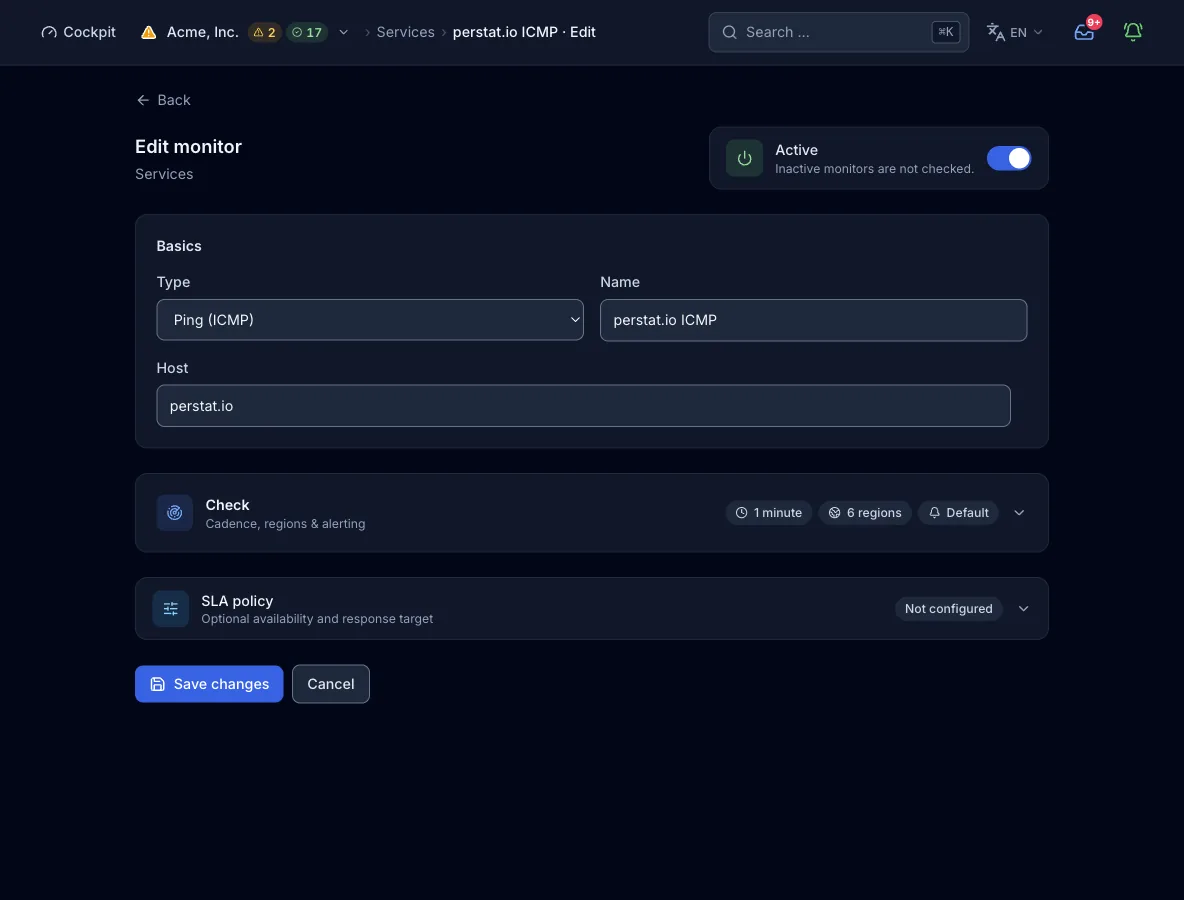
Target. A hostname or an IP address, without scheme, path, or port. Labels take up to 63 characters, the whole name up to 253. The probe resolves the name through its own resolver and blocks loopback, private, and link-local addresses. Cloud metadata, carrier-grade NAT, multicast, and broadcast addresses are blocked too, so the monitor cannot be pointed into an internal network.
| Field | Required | Values and default | Meaning |
|---|---|---|---|
hostHost | yes | Hostname or IP address | The host that receives the echo requests. Every address it resolves to in the chosen IP family is pinged on its own. |
count | optional | 1-255, default 3. A value of 0 counts as 1, and above 255 the check ends in error | Echo packets per address and check, sent one after the other. It is set over the API or MCP, and a monitor created in the form uses 3. |
interval_secondsCheck interval | optional | Default 300. Raised to the plan’s floor, capped at 24 h | How often each region runs the check. The form offers presets from 30 s to 1 h, and intervals of 15 s or 10 s need MCP. |
regionsRegions | optional | Subset of na, eu, as, sa, af, oce. Default: the plan’s regions | Which continents run the check. More regions than the plan allows are rejected, not trimmed. |
IP families
With both families, every resolved address of each family is pinged on its own. The result keeps one sub-result per family and per address, so an IPv6-only failure stays visible as such. The form offers IPv6 only when the host has an AAAA record or is an IPv6 literal, and then only regions that probe IPv6 stay selectable.
| Field | Required | Values and default | Meaning |
|---|---|---|---|
address_familiesIP families | optional | List of ipv4, ipv6, or both. Missing or empty means ["ipv4"] | Which IP families the check covers. |
family_fail_severity | optional | degraded (default) or failed | What one failing family means while the other answers. Within one family, one silent address among several is always degraded. |
How a check runs
- Each region due for the interval resolves the host through the node’s own resolver. A name that resolves into a blocked range ends the check as down.
- Every resolved address of the chosen family receives
countecho requests of 32 bytes, one after the other. Each request waits up to 10 s for its reply, and a missing reply counts as lost. - Per address, the probe computes the loss in percent and the average round trip of the replies. Every reply means passed, some lost replies mean degraded, and no reply means failed.
- Several addresses of one family fold into one verdict: all silent is down, some silent is degraded, and otherwise the worst address result counts. Across families,
family_fail_severitydecides what one failing family means. - The region’s result goes to the control plane. An incident opens once the alert policy’s quorum agrees, by default 2 regions and 2 consecutive checks.
What a result contains
- Replies and loss
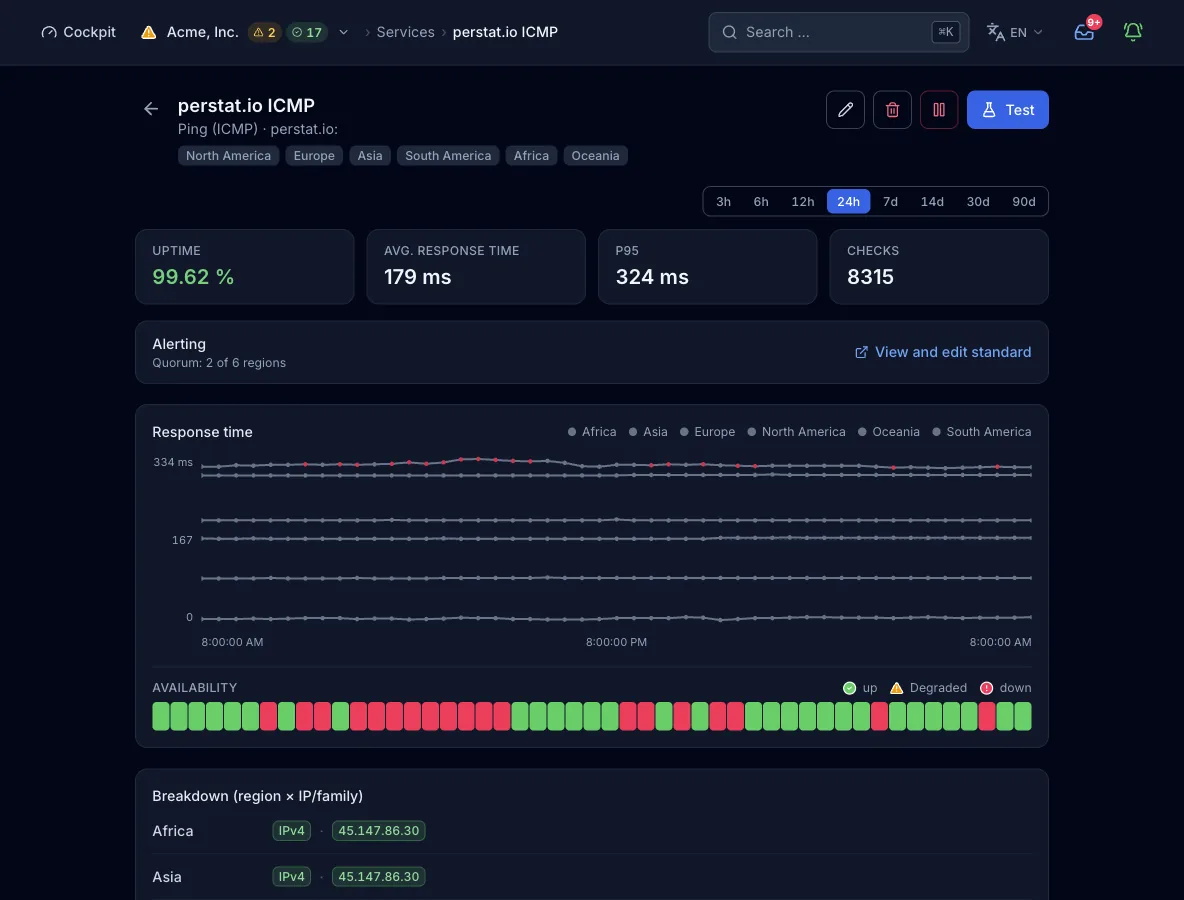
- One line per address with the replies received of the packets sent, the loss in percent, and the average round trip. For example: 3 replies of 3 sent, no loss, 12 ms average.
- Response time
- The average round trip of the replies per address. Across several addresses, the minimum becomes the check’s response time.
- Cause layer
- A name that does not exist (NXDOMAIN or NODATA) is attributed to the target’s DNS. Other lookup failures stay unattributed. Once the lookup succeeded, lost replies are attributed to the target.
- Region, family, address
- Every result carries the region that measured it. It holds one sub-result per IP family and per address, each with its own status, round trip, and detail line.
States and severity
- okEvery packet to every address was answered.
- degradedSome packets were lost, or one of several addresses stayed silent. At the default severity, one IP family that fails while the other answers is degraded too.
- downNo address answered, whether the host is off, unreachable, or filtering ICMP. The check is also down when the name does not resolve, when the target sits on a blocked range, or when one family fails with
family_fail_severityset tofailed. - errorThe node cannot send ICMP, for example because the raw socket is refused. It counts as an outage with severity critical.
Confirmed by quorum: by default, 2 regions must report the failure before an incident opens. The organization default asks for 2 regions and 2 consecutive checks. A monitor can carry its own rule (count or percent, consecutive checks, minimum duration).
Plans and limits
- Shortest interval
- 300 s on Free, 60 s on Pulse, and 30 s on Sentinel. Command allows 15 s and Enterprise 10 s, both set only over MCP. The form offers presets from 30 s to 1 h.
- Regions
- 2 of 6 on Free, 3 of 6 on Pulse, and all 6 from Sentinel.
- Monitors
- 10 on Free, 50 on Pulse, 150 on Sentinel, and 500 on Command. Enterprise quotas are custom. The quota counts across the eleven probe types, and host agents and heartbeats have their own quotas.
From the pipeline or an agent
The same config works in the deploy step, in an MCP client such as Claude Code, and in the form above. create_monitor needs an organization-wide API key. If you omit regions, the plan picks its default.
{
  "name": "Office gateway",
  "type": "ping",
  "interval_seconds": 60,
  "config": {
    "host": "gateway.example.com",
    "count": 5
  }
}
Every interface, with its boundary
Limits
- A host that filters ICMP fails the check even while its services answer. Pair it with a TCP or HTTP(S) check on the service.
- The check records loss and average round trip only, with no jitter, no percentiles, and no per-packet times.
- Packet size is fixed at 32 bytes, and
countis set over the API or MCP, not in the form. With a silent host, each packet waits 10 s and the node stops a run at 120 s, so keepcountat 12 or below. - Results are per address, not per hop. The path belongs to the traceroute check.
- Targets on private, loopback, link-local, and cloud metadata addresses are blocked.
- Not every region probes IPv6, so selecting
ipv6restricts the usable regions.