On this page
Last reviewed 2026-09-15.
Decide by workflow
Perstat fits when Opsgenie primarily pages your team about availability and you want measurement, on-call, status communication, and the resulting record in one product.
A different alternative fits when Opsgenie is mainly an aggregation inbox for alerts from many third-party tools. Perstat deliberately does not reproduce that alert-source model, and alerts from other tools stay where they are.
Atlassian’s own migration paths are Jira Service Management and Compass. Evaluate those first when Atlassian integration or third-party alert aggregation is the deciding requirement.
What Perstat replaces: on-call schedules, escalation from push to SMS to phone call, acknowledgment, incident timelines.
What you gain in the same move: monitoring with 2 regions on Free, 3 on Pulse, and all 6 from Sentinel. Quorum is configurable for 11 regional check types, with Agent and Heartbeat excluded. You also gain status pages on your own domain from Sentinel and an availability record your customers can hold.
What to move, and when: the step-by-step migration guide is on the blog. The deadline is Atlassian’s, not ours. The Opsgenie end-of-sale and support notice sets it at 5 April 2027, when unmigrated customer data is deleted.
Map Opsgenie concepts to Perstat
Opsgenie ended new sales on 4 June 2025. Existing customers can add seats until 5 April 2027 and renew only if the term ends before that date, according to the licensing page. After a migration, Opsgenie shuts down 120 days later. There is no price table here, and the comparison is conceptual.
The table shows where each Opsgenie concept lands in Perstat, including the two gaps.
| Opsgenie concept | In Perstat |
|---|---|
| Alerts | incidents, quorum-confirmed from monitoring or opened manually |
| Escalation policies | escalation stages per schedule: push, then SMS, then phone call |
| On-call schedules and rotations | rotations with coverage-gap warning, from Sentinel |
| Acknowledgment | ack takes ownership, quiets every device, reminders go to the owner |
| Phone/SMS notifications | personal SMS from Pulse. On-call SMS and calls from Sentinel, verified numbers only, calls capped at 2 per incident |
| Heartbeat monitoring | your job calls a secret URL. A missing call past period plus grace opens an incident |
| Integrations into monitoring tools | not the model, because Perstat is the monitoring. Signed webhooks and Slack fire outward |
| Incident timeline and post-mortem | on the incident, with action items, publishable to your status page |
| Reporting | curated availability record, editorial sample report, a PDF report per monitor for 7, 14, 30, or 90 days, manual CSV plus manifest export on request |
| Alert aggregation from many tools | deliberately not replicated. Perstat replaces the paging layer for availability and does not aggregate third-party alerts |
In Perstat, the schedule and its escalation stages replace Opsgenie’s rotations and escalation policies. There is no automatic import. Rebuild the rotation and the escalation stages by hand before the parallel run.
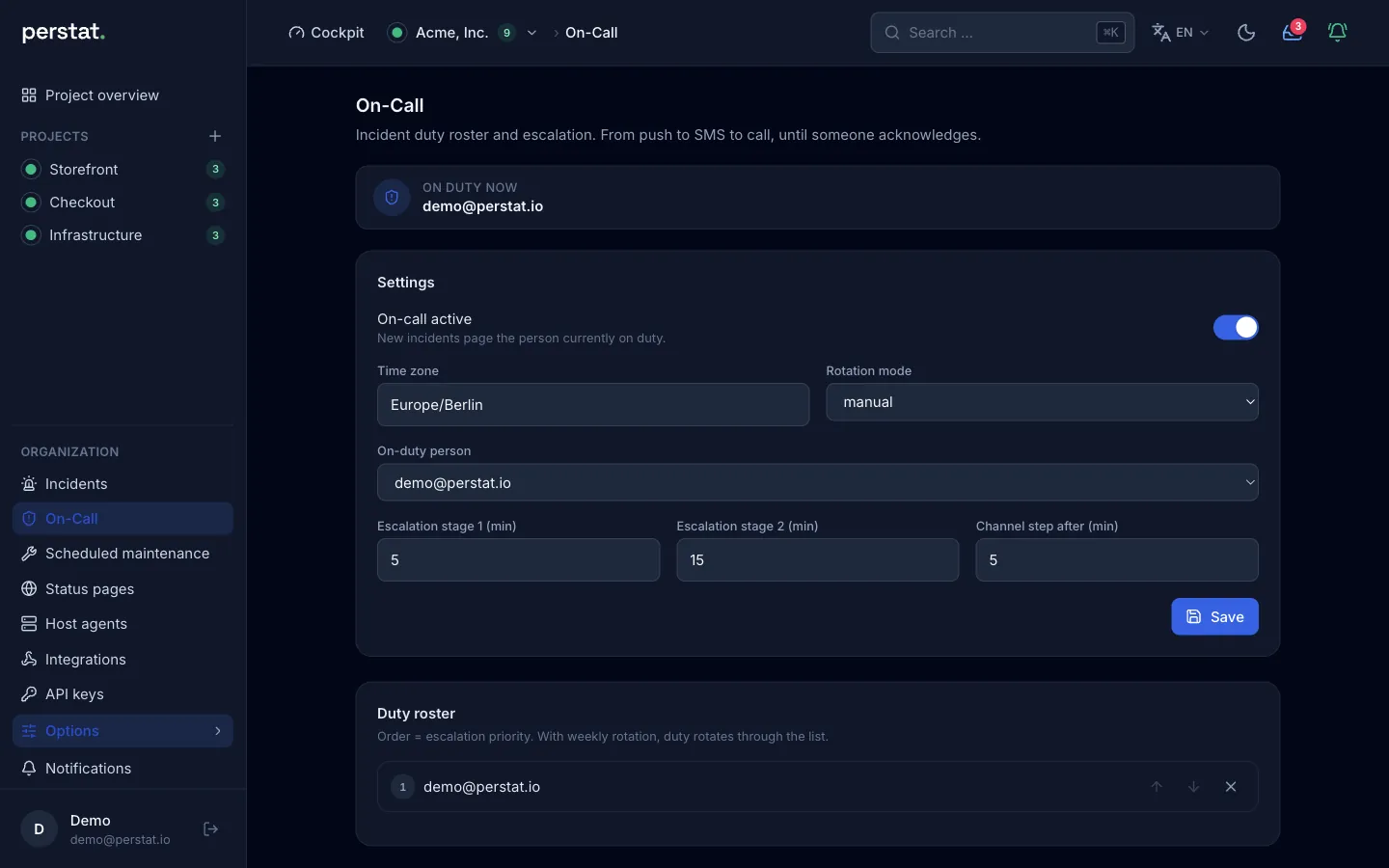
Nobody on the rotation needs an iPhone. SMS from Pulse and phone calls inside on-call escalation from Sentinel reach any phone.
Run the migration in parallel
- Inventory schedules, escalation rules, users, and alert sources. Separate availability paging from third-party alert aggregation before you select a target.
- Rebuild one rotation and escalation in Perstat and keep Opsgenie active for a complete rotation. Trigger a controlled incident on a test endpoint. Verify push, SMS, and voice, then acknowledgment and recovery.
- Move the availability monitors and status workflow only after the paths match. Keep another aggregation route where needed, and follow Atlassian’s guidance to preserve required data before the lifecycle deadline.
Start monitoring free or take the product tour. The tour needs no signup, and you see the price without a sales call.