On this page
Match the interface to the job
| Need | Interface | Direction |
|---|---|---|
| Notify a team or paging destination | Alert connectors | outbound |
| Verify an incident event in your own endpoint | Signed webhook | outbound |
| Read monitor and incident data | REST API and OpenAPI | read-only REST |
| Let an authorized agent read and act | MCP | scoped reads and writes |
| Keep state visible to operators | Web wallboard and Apple apps | product surfaces |
Every interface on this page exists today.
Send incidents to existing channels
| Channel | Detail | Plan |
|---|---|---|
| Push | native iOS app and Apple Watch | all plans |
| escalation step in an on-call policy | Sentinel and up | |
| Personal SMS alert | critical incident, opt-in per person, monthly allowance | Pulse and up |
| On-call SMS | escalation step, to verified numbers | Sentinel and up |
| Phone call | escalation step, at most 2 per incident | Sentinel and up |
| Signed webhooks | HMAC in x-perstat-signature, secret rotation, test fire | all plans |
| Slack, Teams, Discord, Google Chat | incident open and recovery, via incoming webhook | all plans |
| PagerDuty, Opsgenie | incident forwarded into their events API | all plans |
| Status page subscribers | double-opt-in email to your customers, open and recovery | Sentinel and up |
The connector paths are outbound only: Perstat sends incident open and recovery events. Acknowledge and resolve in Perstat or through an authorized MCP action.
Escalation continues until someone acknowledges: push, then SMS, then a phone call, on timings configured per schedule. Acknowledging takes ownership, and every other device goes quiet. A phone number is paged only after it is verified with a one-time code.
Verify a signed webhook at your endpoint
Webhook targets fire when an incident opens and when it resolves. Each delivery carries the user
agent perstat-webhook/1.0 and an HMAC signature in x-perstat-signature, so your receiver can
verify its origin.
The signature is sha256= followed by 64 lowercase hex characters, computed as HMAC-SHA256 over
the raw body. The secret is shown once at creation and rotates in the product. A test fire is
built in.
Webhook destinations are validated against the same SSRF blocklist the probes use. Private, link-local, ULA, and metadata targets are blocked, and redirects are checked again. This is containment, not an “SSRF-safe” guarantee.
Read through REST and the public OpenAPI contract
Scoped organization API keys read 7 REST endpoints today:
- Monitor list
- Monitor detail
- Checks
- Time series
- Monitor incidents
- Organization incidents
- Incident detail
Keys can be limited further to projects or individual monitors. The public OpenAPI contract at
api.perstat.io/openapi.json documents the public contract,
not every internal operation.
Write automation belongs to MCP, which uses a different authorization model.
Let an authorized agent act through MCP
Perstat speaks the Model Context Protocol at https://api.perstat.io/mcp. The endpoint uses
stateless Streamable HTTP. Within the scopes offered to its key, an agent reads your
organization’s state, acknowledges or resolves incidents, and manages the monitor lifecycle.
An agent authenticates with a scoped organization API key or, in capable clients, through the OAuth Authorization Code flow with PKCE. Every write is attributed to the credential’s human identity: the API-key creator or the OAuth subject. Perstat checks that identity’s current membership and role on every write.
The live catalog changes, so exact tool counts stay in the dated MCP documentation.
Connect Claude Code with a bearer key:
claude mcp add --transport http perstat https://api.perstat.io/mcp \
  --header "Authorization: Bearer pst_…"
Any MCP client that speaks Streamable HTTP connects the same way, with the bearer header or the published OAuth flow. That includes Codex, ChatGPT connectors, and your own agent. Claude Code users can also install the Perstat plugin, which signs in through the browser and adds skills for incidents and monitors.
A pipeline needs no agent. One tools/call from the deploy job registers the monitor, and the
step fails on any error unless the monitor already exists:
curl -sS --fail-with-body https://api.perstat.io/mcp \
  -H "Authorization: Bearer $PERSTAT_API_KEY" \
  -H "Content-Type: application/json" \
  -d '{"jsonrpc":"2.0","id":1,"method":"tools/call","params":{
    "name":"create_monitor","arguments":{"project_id":"prj_…",
    "name":"Order API","type":"http",
    "config":{"url":"https://orders.example.com/health"}}}}'
A second run is refused as an exact repeat, and the step still passes. When the health path moves,
update_monitor changes the existing monitor.
The create_monitor tool needs an organization-wide key. A key narrowed to projects or monitors
reads and acts on its own resources only.
Keep the live state visible
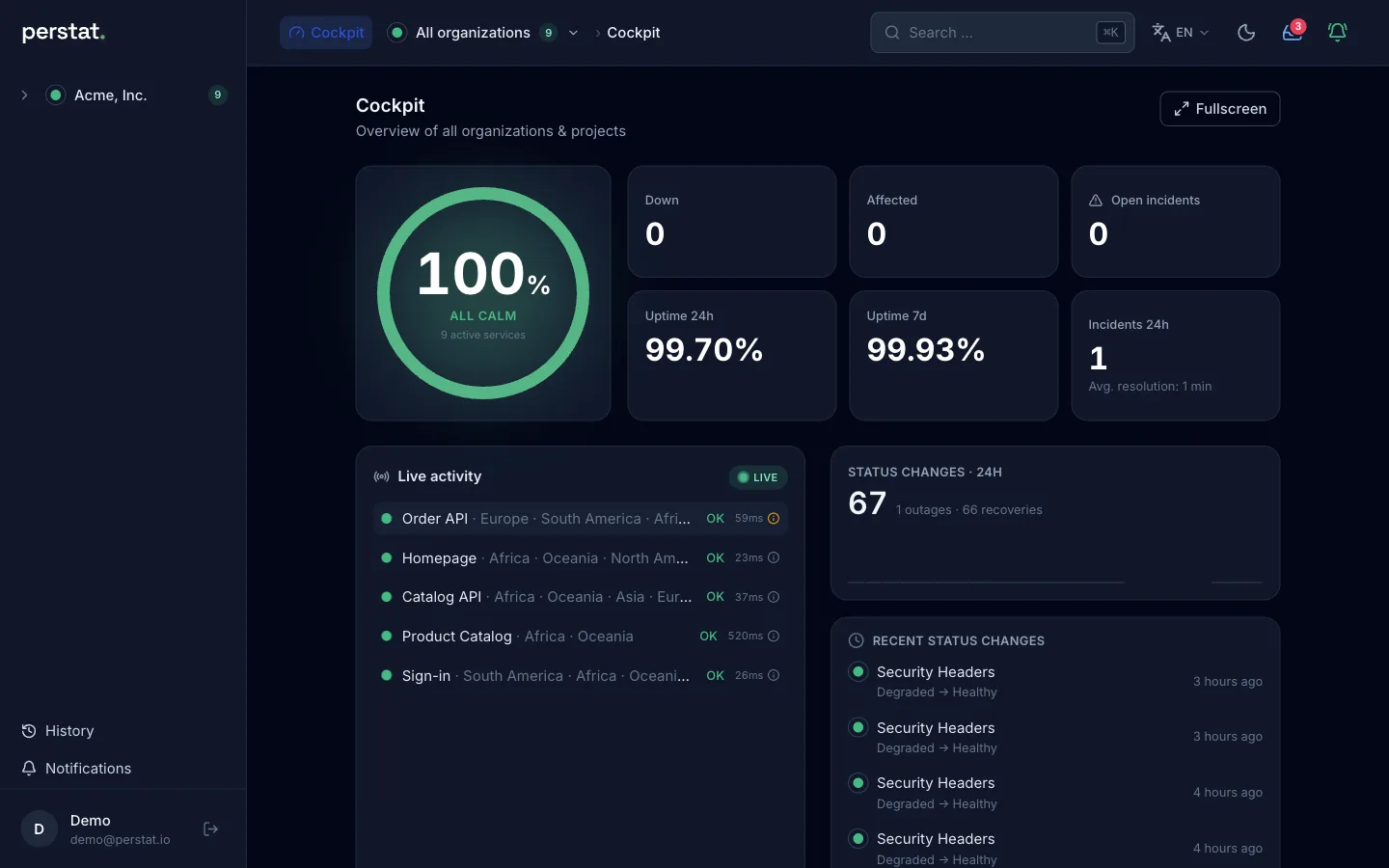
The web app includes a full-screen live wallboard. The native apps cover iPhone, iPad, and Apple Watch.
Open incidents can appear as a Live Activity on the Lock Screen and Dynamic Island. The Apple Watch app can acknowledge an incident, take on-call duty, and enable or pause a monitor.

SMS from Pulse and on-call phone calls from Sentinel work without an Apple device. There is no native Android app today.
Publish status interfaces
- Status page. Draft and public modes exist on every plan. From Sentinel, the page runs on your own domain (CNAME-verified, TLS managed) and supports password and viewer access.
- SLA badge. An SVG badge is served from your status page, with copyable Markdown and HTML snippets.
- RSS. Every status page carries a feed.
Limits
- Chat. Slack, Microsoft Teams, Discord, and Google Chat receive incidents through an incoming webhook. There is no native Perstat app and no interactive action in these tools, so you cannot acknowledge or resolve from inside them.
- Paging tools. PagerDuty and Opsgenie are a destination for forwarded incidents, not a replacement path. Perstat is built to be the paging layer itself rather than to feed one. The Opsgenie comparison describes what that swap involves.
- MCP writes. An agent can archive a monitor and restore it later, but it cannot delete one. Status pages, connectors, and API keys stay outside the MCP write boundary, and so do members and plan changes.
- Zapier. There is no Zapier integration.
- Terraform. There is no Terraform provider and no declarative monitors-as-code workflow. REST keys read 7 endpoints ( reference), and REST write scopes are not evaluated today. MCP is an agent interface, not a declarative pipeline.
Read the REST reference, see MCP for agents, or start free and configure your first connector. If a stated boundary is decisive, write to hello@perstat.io for a concrete answer.