On this page
Model the service your audience needs to see
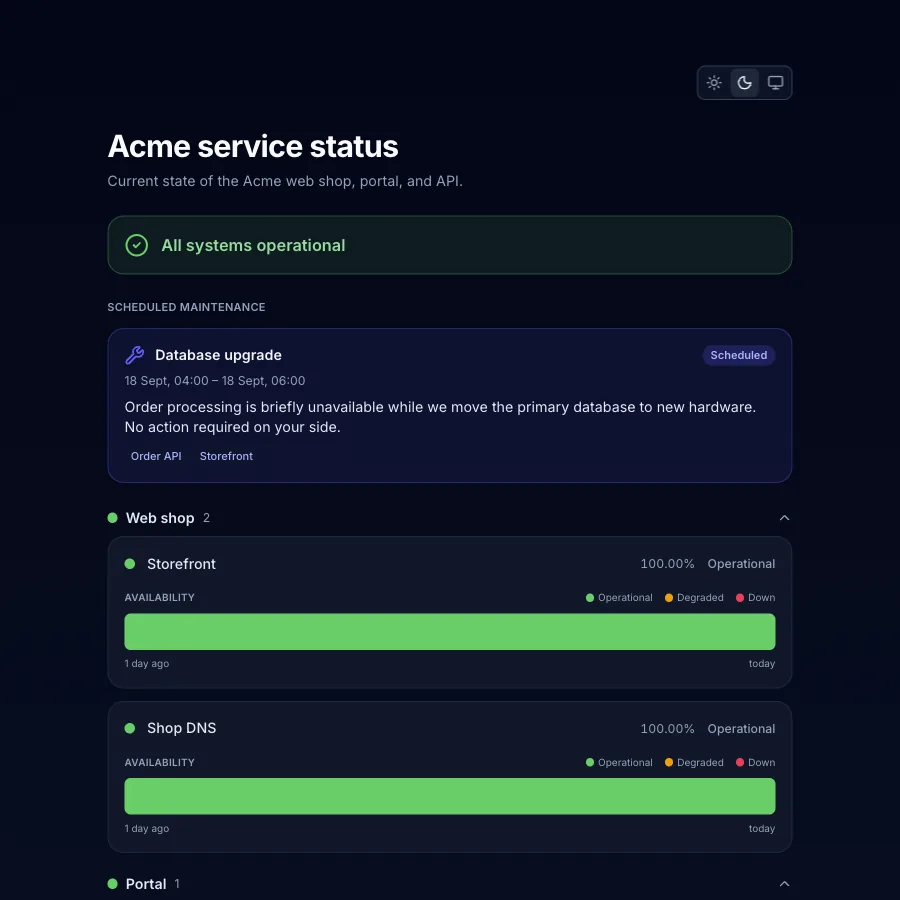
A status page groups monitors into named service groups and gives each page its own component order. Uptime windows show 7 to 365 days, capped at the plan window. That lets a public product page, a customer view, and an internal operational view each describe their relevant services without changing the underlying monitors.
Show it to your customers
Your status page is the page your customers see. The status badge on your own site shows the same state, read from the same record as the availability figure.
Nobody copies an incident over by hand. The incident opened by the quorum appears on the linked page with its phase, start, and duration, and the component switches to Down.
The badge. Every status page serves an SVG badge at /badge.svg, on the Perstat subdomain
or on your own domain. This is Perstat’s own badge, live:

Embed it in HTML or Markdown. The app offers both snippets with your page’s address filled in:
<a href="https://status.yourcompany.com"><img src="https://status.yourcompany.com/badge.svg" alt="Service status"></a>
[](https://status.yourcompany.com)
Link the record, then publish on purpose
When a component is linked, the status page can use the same monitor and incident data as uptime monitoring and the availability record. The link does not remove editorial control. Page configuration and incident publication remain explicit actions.
Maintenance windows can appear as banners while they suppress new incidents. A post-mortem or manual incident appears only after it is deliberately published to the selected page.
Set who can read each page
Every plan supports draft and public pages. Sentinel adds a shared password and individual viewer accounts for controlled audiences. Access is set per page, so a public company page and a gated customer page do not need the same policy.
Keep readers and machines informed
From Sentinel, readers can subscribe by email through double opt-in. Perstat sends open and recovery notifications with one-click unsubscribe. For machines, every status page also exposes an RSS feed.
Use your domain and your status-page brand
Sentinel supports 3 verified custom domains per page with managed TLS. Command supports 10, and Enterprise sets the number by contract. Without a custom domain, the page uses a Perstat subdomain.
Add status.yourcompany.com to the page. Then create one CNAME record that points it at the
target the app shows you, in the form <token>.perstat.io.
Verification runs on its own once the record resolves. The edge then issues the certificate, and the page, its feed, and its badge answer under your domain.
Command and Enterprise can remove Perstat branding from the status page and set separate light and dark logos. White-labeling also removes Perstat marks from the content of that page’s subscriber emails.
Subscriber emails still use Perstat’s sender identity and domain. A customer-owned sender domain is not supported.
Restore a page instead of rebuilding it
Saved status-page versions from the last 90 days record their author and can be restored. Pages can also be archived and restored. Recent configuration changes stay recoverable, but Perstat does not describe the entire data store or version history as permanent.
Compare what each plan includes
| Capability | Free | Pulse | Sentinel | Command | Enterprise |
|---|---|---|---|---|---|
| Status pages | 1 | 1 | 5 | 20 | Custom |
| Draft and public | Included | Included | Included | Included | Included |
| Shared password and viewer accounts | Not included | Not included | Included | Included | Included |
| Subscribers | Not included | Not included | Included | Included | Included |
| Custom domains per page | 0 | 0 | 3 | 10 | Custom |
| Status-page white-labeling | Not included | Not included | Not included | Included | Included |
Custom means Enterprise sets the number by contract.
Create the first page, read the status-page documentation, or review the Statuspage comparison.