On this page
You carry the pager for other people’s systems. One client runs a storefront, another a checkout API, a third a marketing site on a stack you didn’t build.
When one of them fails at the wrong hour, the call lands on you. The next morning, that client wants numbers that show you were watching their systems and nobody else’s.
The trap is one tool per client: a monitoring login here, a status-page vendor there, a spreadsheet of certificate dates you keep meaning to update. Perstat holds every client in one organization and still shows each of them only their own record.
Give each client its own project
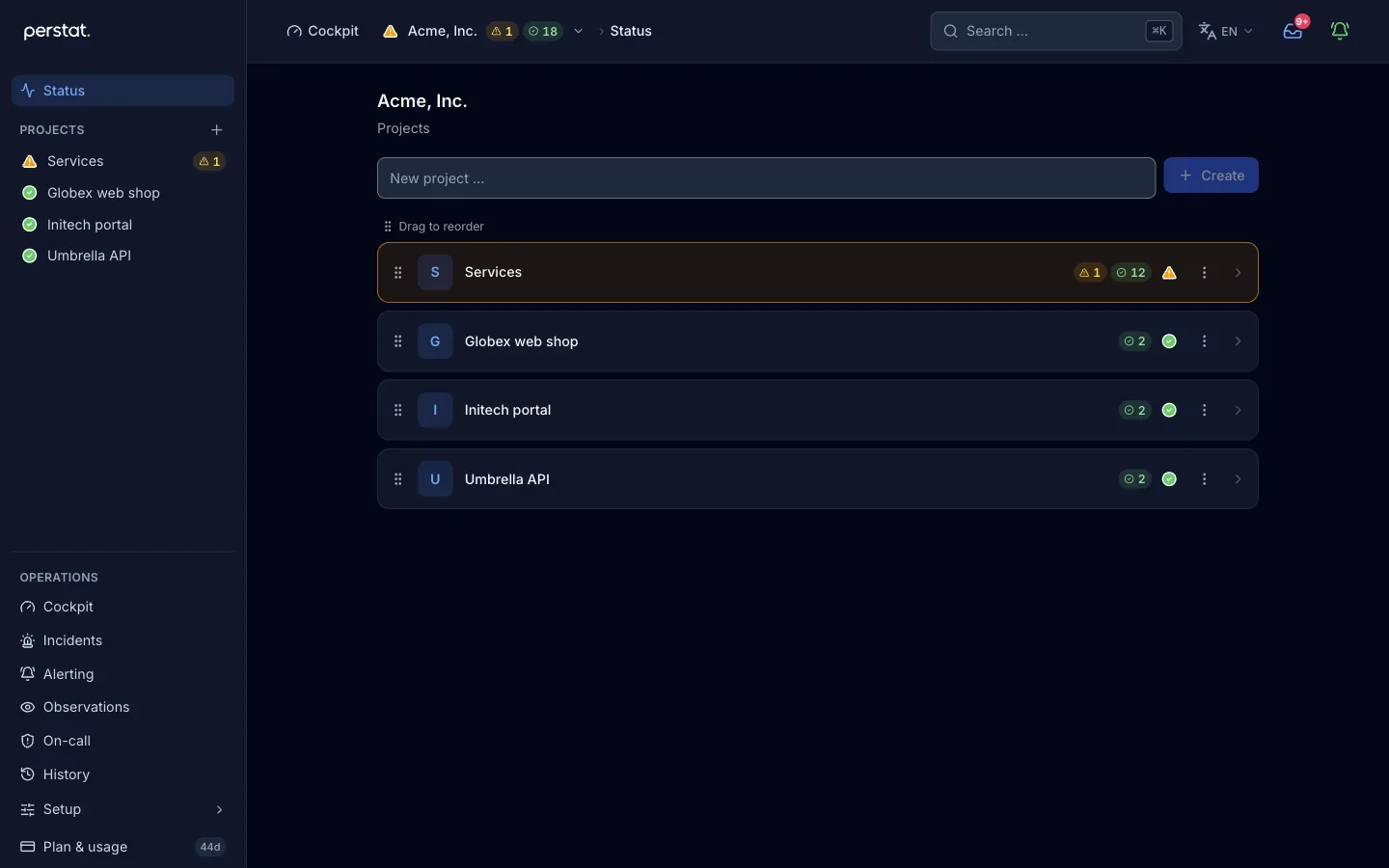
Monitors live in projects. With one project per client, each client’s checks, incidents, and history stay grouped instead of sitting in one flat list of every monitor you run.
Projects also scope access. Narrow a key to a single project or to individual monitors, and a key you drop into a client-facing dashboard returns that client’s monitors and nothing else.
Seven read endpoints are live, enough to pull monitors, checks, response-time series, and incidents into whatever you already run. The REST API itself stays read-only.
You create and edit monitors in the app or over MCP, where an agent can create, edit, and pause them. A key narrowed to one project may edit and pause there, but not create. It would not know whose project it was writing into.
Projects group and scope, but they are not a tenant login. Your client does not sign in to Perstat and see a private console of their own. They see the status page and any dashboard you build with a scoped key.
That usually suits an agency, but know it before you promise a client their own seat.
Brand a status page for each client
Every client wants proof that faces their users, not yours. From the Command plan, status pages are white-label: the client’s logo, light and dark, and no Perstat branding on the page.
Each page can run on the client’s own domain, such as status.theirbrand.example. It is verified by CNAME or TXT, with TLS issued automatically at the edge. Custom domains start with Sentinel at 3 per page, and Command carries 10 per page.
A page can be public, or gated behind a shared password or named viewer accounts. Gating suits a client who would rather keep their uptime off the open web.
Each page shows an uptime window the client selects, from 7 to 365 days, drawn from the same measured record that drives your alerts. The number a client reads is the number you were paged on.
Two limits apply:
- Notification and subscriber emails send from Perstat’s domain, not from status@theirbrand.example. A client-owned sender domain is not supported today.
- The number of status pages depends on the plan: up to 5 on Sentinel, 20 on Command, and custom on Enterprise. Check this limit if you run one page per client at scale.
Watch every client’s certificates and domains
The outage that embarrasses an agency is rarely exotic. It is an expired TLS certificate, or a domain that lapsed because the renewal notice reached an inbox nobody reads. Across 40 client domains, that is 40 dates you track by hand, or not at all.
Perstat watches both as checks. An ssl_cert check reports certificate expiry, the issuer, and
self-signed certificates. A domain check reads NS, SOA, DNSSEC, and WHOIS expiry.
Point them at every client domain. By default, 14 days before a certificate expires, owners and admins get an email and an in-app notice. A registration inside its warning window turns the domain check degraded on the same board as everything else.
See the whole fleet on one board
For your own team, the cockpit and wallboard put the whole fleet on one screen.
For supported probe checks, the plan selects the regions involved. The standard policy requires 2 region votes, and alert profiles can change that policy. Sub-quorum divergence, such as one region drifting, remains visible on the watchlist.
Agent and heartbeat checks do not use regional quorum. The network page documents the current topology.
Hand each client their own record
Each client gets the status page and the record behind it:
- Uptime windows are drawn from real measured data.
- The outage history is curated. A false positive is discarded with a reason, and its effect on the number is previewed before it applies.
- Announced maintenance is kept separate and not counted against the client.
- A copyable uptime badge is available.
The public, editorial sample SLA report demonstrates how the record can be recomputed. Each monitor view offers a PDF report for 7, 14, 30, or 90 days on every plan. The report is not signed or certified. On request, organization data can also be prepared manually as CSV files with a manifest.
You hold the contract for every client
Perstat has no reseller portal and no per-client billing. You hold one Perstat contract and are the billed party. Clients are separated through projects and white-label, not through tenant invoicing you can resell line by line.
If your model needs Perstat to bill each client directly under your brand, that does not exist. If you need to watch many clients, keep them apart, and prove each one separately from one place, that is the shape of the product.
Start with one client
Take your messiest account, the one whose site, shop, and mail all break on different days. Put their systems in one project and start with one check on the Free plan. Free does not include a custom status-page domain or white-label branding.
Start monitoring free, see pricing with every number on the page, or take the tour without signing up.